
Search a warehouse for a specific time frame and action.
Steps
Login to StockNet.
Click the Master Inventory tab.
Verify that the Master
Inventory - Log tab is displayed.
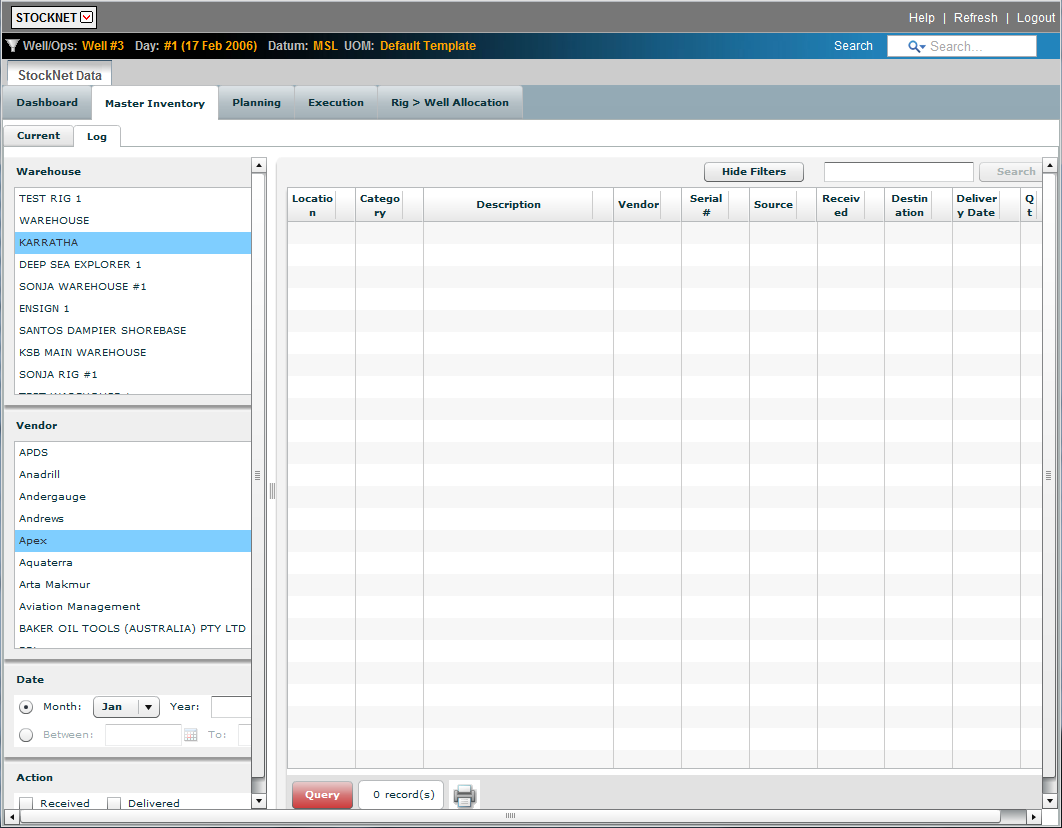
Select the appropriate warehouse.
Select the appropriate vendor, if applicable.
Select the appropriate time frame by month and year or by span of time.
Select the appropriate action of Received, Delivered or both.
Click the Query
button.
The query results appear in the window with the number of results displayed
in the field next to the Query button.