Select ProNet>Sand
Control.
The Sand Control Data window
opens.
Click  .
.
OR
Click  .
.
A blank sand control line is enabled.
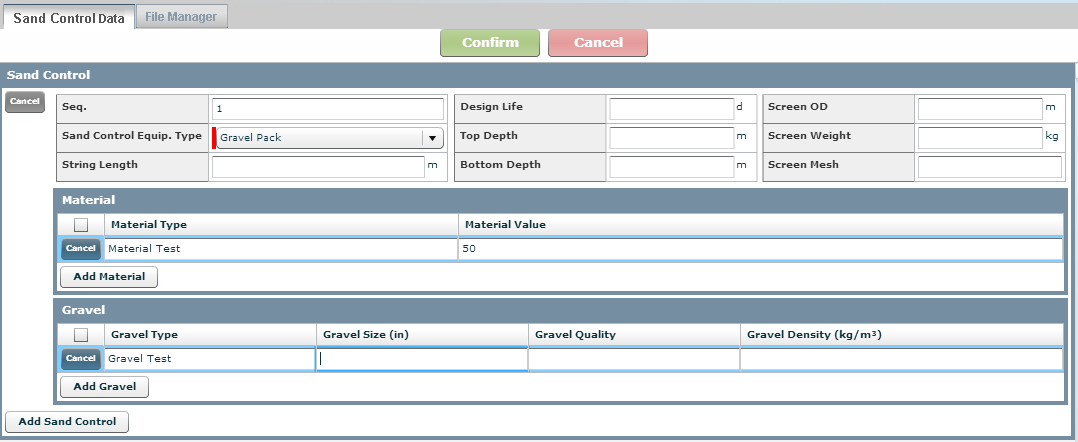
Type the sequence number in the
# field starting with 1 and
uniquely identifying the sand control activity.
Note: Each subsequent test
is one number higher than the previous one used.
Select the Sand Control Equipment Type from the drop-down list.
Type the String Length.
Type the Design Life for the sand control activity.
Type the Top Depth of the sand control activity.
Type the Bottom Depth of the sand control activity.
Type the Screen Outside Diameter (OD) used for the sand control activity.
Type the Screen Weight used for the sand control activity.
Type the Screen Mesh used for the sand control activity.
Click  .
.